










WhatsApp +212 663 813 479

Smart4K – Real 4K IPTV, and an Honest Look at What Your Setup Can Show

A Channel Marked 4K and a 4K Picture Are Not the Same Thing

Resolution is a label printed next to a channel name. What lands on your panel is whatever survives the chain behind it: the bitrate of the feed, the line coming into the house, the last three metres to the screen, the chip doing the decoding, and the panel itself. The weakest of those five sets the picture, and it is rarely the one people blame. Smart4K supplies the first link: 25,000+ channels and 120,000+ on-demand titles at 99.9% uptime, from $15 a month. This page walks the other four so you can check them tonight on your own equipment.

  • 7-day refund window
  • WhatsApp answered 24/7
  • Line opens in minutes
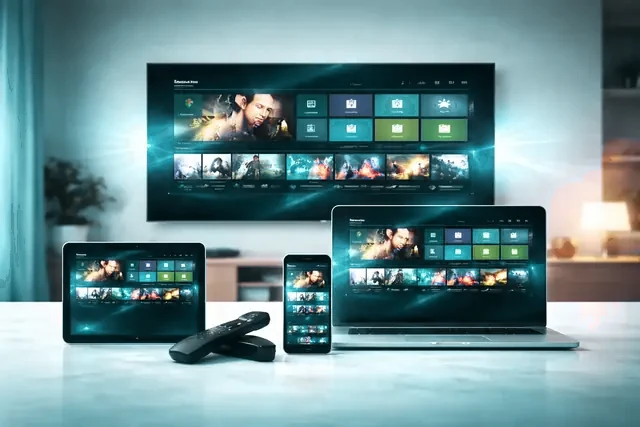
One Smart4K line playing on a panel, a tablet, a laptop and a phone
25,000+ Channels on the line, in 4K, FHD and HD

One message opens a line, normally inside the quarter hour. Nothing is posted to you, no card sits on file, and nothing renews unless you ask for it.

Open this line

Covered for 7 days on every length

A 4K feed running on the living-room panel Scrolling the guide in the player with a remote
The chain, link one

Resolution Is a Label. Bitrate Is the Picture.


2160p is a count of pixels. It says nothing at all about how hard those pixels were squeezed before they were sent to you. Two feeds can both be marked 4K and look nothing alike: one encoded around 6 Mbps comes apart the moment a camera pans across a crowd, while one around 20 Mbps keeps its detail through the same shot. A 4K stream in HEVC typically runs somewhere between 15 and 25 Mbps, and the older H.264 codec needs appreciably more to reach the same result. Blocky grass, mush in a crowd, banding across a night sky: that is starvation at the source, not a fault in your television.

Which makes link one ours to get right. Smart4K carries 25,000+ channels: the American networks, Britain, Canada and a further 60+ countries, alongside 120,000+ films and series, on capacity planned around Saturday night rather than Tuesday morning. Popular channels exist at more than one bitrate, so a strained link further down has somewhere to step down to instead of stopping.

  • Lines running nightly in Europe, Britain, Canada and the States
  • 99.9% uptime, and a second bitrate behind the busy channels
The chain

Down the Chain, One Link at a Time

Link two: the line into the house

One 4K stream wants roughly 15 to 25 Mbps of steady throughput, and two at once want that twice over. Test the speed on the device that will be playing, at the hour you actually watch, then hold the figure against the number of connections you are buying.

Link three: the last three metres

Most homes have the bandwidth and then lose it between the router and the sofa. 2.4 GHz Wi-Fi is seldom enough for a 4K stream. 5 GHz normally is, provided the box sits in the same room rather than behind a wall. A short ethernet run ends the argument.

Link four: the chip that decodes

Most 4K feeds arrive as HEVC, and a chip with hardware HEVC decoding takes them in its stride. A stick built for 1080p hands that work to its general processor instead, which is where dropped frames and drifting audio come from. AV1 is newer again and needs recent silicon.

Link five: the panel in front of you

A set sold as 4K can still be held back by the socket you plugged into: HDMI 2.0 carries 2160p at 60 Hz, earlier inputs stop short of it. While a stream is running, open the input information panel. Most televisions will state the resolution and frame rate they are receiving.

The hour that loads every link at once

Kick-off is the only honest test. The feed is at its busiest, your street is at its busiest and every link in the chain is under load together. If a service is going to let you down it happens then, which is the hour worth spending a free trial on.

When it is none of the five

A line that is clean on one screen and broken on another has already told you where to look. Send the model and what you are seeing to WhatsApp and somebody walks back down the chain with you, and that includes before you have paid us anything.

Find Out Which Box Is Doing Your Decoding

Written for Fire TV and Android boxes, for Samsung and LG panels, for Apple TV, Roku, Windows, MAG and Formuler

Tap your hardware for a page written against that exact menu tree, or start at the setup hub. Nothing here has to be bought: if the screen already plays 4K from anything else, the chip behind it almost certainly decodes HEVC, and one username, password and server address brings every screen in the house up. The line itself never changes between them, the same 25,000+ channels and the same feeds wherever you sign in.

  • Amazon Fire TV Stick
  • Samsung Smart TV
  • Android TV
  • Apple TV and iPhone
  • MAG and Formuler box
  • Nvidia Shield
  • Android phone and tablet
  • IPTV Smarters Pro
  • Roku
  • Web player and M3U
  • LG Smart TV
  • Windows PC and Mac

What Sits Behind the First Link

Four numbers for the part of the chain we hold: how many channels are carried, how much sits on demand, how often the servers are up, and how far the country list reaches. For the four links we do not hold, there is somebody on WhatsApp at any hour of the night.

Read the channel list

25,000+Channels carried

120,000+On-demand titles

99.9%Uptime

60+Countries on the list

Lines open every night across Canada · the United States · Britain · Europe · Australia · the Middle East

Lengths and connections

Pick a Length, Then How Many Connections

A connection is one stream playing at one moment, which is not the same as one device. Install the player on everything you own; the plan decides how many of them can run together. Every line carries the identical 25,000+ channels, 120,000+ on-demand titles and the same 4K feeds.

1 Month

$ 15 / 1 month

works out at $15.00 a month

  • 25,000+ live channels and 120,000+ on demand
  • 4K, FHD and HD feeds - quality rides on the channel, not on the plan
  • Full guide data and catch-up in the players that carry them
  • One playlist, every screen you already own
  • 24/7 WhatsApp support, picture-quality checks included
  • No contract and nothing that renews by itself
  • 7 days to change your mind
Open this line

3 Months

$ 29 / 3 months

works out at $9.67 a month

  • 25,000+ live channels and 120,000+ on demand
  • 4K, FHD and HD feeds - quality rides on the channel, not on the plan
  • Full guide data and catch-up in the players that carry them
  • One playlist, every screen you already own
  • 24/7 WhatsApp support, picture-quality checks included
  • No contract and nothing that renews by itself
  • 7 days to change your mind
Open this line

6 Months

Most chosen

$ 45 / 6 months

works out at $7.50 a month

  • 25,000+ live channels and 120,000+ on demand
  • 4K, FHD and HD feeds - quality rides on the channel, not on the plan
  • Full guide data and catch-up in the players that carry them
  • One playlist, every screen you already own
  • 24/7 WhatsApp support, picture-quality checks included
  • No contract and nothing that renews by itself
  • 7 days to change your mind
Open this line

Nothing in this table changes the picture. Every row opens the same 25,000+ channels and 120,000+ on-demand titles at the same bitrate - the tier sets how many can run at once, the term sets the price. Paid once, renews never, 7 days to change your mind. Amounts in USD.

All four lengths in one table on the pricing page, or run the chain for 24 hours before paying anything.

The Smart4K guide open across three screens at once
Line open in under 15 minutesOrdered, paid and logged in inside a single WhatsApp thread.
Opening a line

From Message to Moving Picture

  1. Settle the length and the connection count

    Work out how many streams have to run together, choose 1, 3, 6 or 12 months on the pricing page, and press the WhatsApp button.

  2. Read back the four values we send

    Payment is settled in that same thread, then a username, a password, a server address and an M3U link arrive in it, normally under 15 minutes.

  3. Load them into a player and test a busy channel

    Open the setup guide for your hardware, type those four values into IPTV Smarters Pro or TiViMate, and put a 4K channel on while the evening is loaded.

Run Your Whole Chain for 24 Hours, Free

A full line, everything unlocked, and no card taken. Spend it on the difficult hour instead of a quiet one: put a 4K channel on at peak, watch a fast pan for blocking, then play the same channel again over ethernet. If those two look different, the chain has just shown you which link is yours to fix.

No card needed. Pressing the button opens WhatsApp with your details ready to send.

What the money buys

What a Line Costs, and What It Cannot Fix

Priced by length, nothing hidden

From $15 a month, or near enough $5.75 a month taken across a year. No contract, no automatic renewal, and the figure printed on the page is the figure quoted in the chat.

Opened in one conversation

Ordering, paying and receiving the four values happen in a single WhatsApp thread, normally under 15 minutes. Whoever sold you the line is whoever helps you load it.

A second bitrate under the busy channels

Capacity is load-balanced for match-day peaks rather than an average day, and popular channels are carried at more than one bitrate, so a stretched link steps down instead of freezing.

7 days to change your mind

If the line will not run on your hardware and support cannot get it running, the payment comes back whole. The refund policy spells out the detail.

Where Smart4K Sits Against Cable and Cheap IPTV

What you are comparingCable TVCheap IPTVSmart4K
Cost per month$80-$150$10-$20$15, nearer $6 across a year
Channels carried150-3005,000-15,00025,000+
On-demand titlesCharged separatelyThin120,000+ included
4K deliveryRareAdvertised, not always thereIncluded on the feeds that carry it
Lock-in12 to 24 monthsNoneNone, and no renewal behind you
Time to first pictureAn engineer visitHours or daysUnder 15 minutes
Who repliesA call-centre queueA form, or nobody24/7 on WhatsApp
HardwareA rented boxWhatever you ownWhatever you own, a guide for each
If it will not workNothingRarely anythingMoney back inside 7 days

Open Lines for Your Own Customers

A credit panel, your prices on top, our capacity underneath

Credits are bought at wholesale and whatever you set above that stays with you. The panel opens an account in seconds, each one resting on the same 25,000+ channels, with the peak-hour load staying on our side of the chain. Access is handed over on the day you ask, and the credit rates are set out on the reseller page.

See the credit rates

Happy customers

Messages From Our Viewers

Real WhatsApp conversations with our customers. Names, photos and account details are hidden.

WhatsApp message from a customer 1
WhatsApp message from a customer 2
WhatsApp message from a customer 3
WhatsApp message from a customer 4
WhatsApp message from a customer 5
WhatsApp message from a customer 6
WhatsApp message from a customer 7
WhatsApp message from a customer 8
WhatsApp message from a customer 9
Frequently Asked Questions

Asked Before a Line Is Opened

The things people put to us on WhatsApp before they pay. The longer list lives on the FAQ page.

What is Smart4K, in one sentence?

A line: one Xtream login that a player on hardware you already own points at. Behind it sit 25,000+ live channels, and the on-demand shelf holds 120,000+ titles. What actually reaches the panel is decided by five things in a row - the bitrate we send, the line into the building, the router, the decoder chip in the device, and the panel itself. We supply the first link. Most of this site is about the other four.

What internet speed does a 4K feed need?

Measure at the panel, not on a phone held beside the router. That single change accounts for most of the speed complaints the desk sees. A 4K feed runs 15-25 Mbps depending on the channel and how hard it was encoded, and the same picture carried in H.264 rather than HEVC asks for more, so plan on a connection holding 25 Mbps where the panel stands. HD copies sit nearer 10. For a busy house, 50 Mbps wired is comfortable. Dips count for more than the headline figure: a line steady at 30 all evening carries a match that a faster one with nightly drop-outs will not.

Which devices can run Smart4K?

Two questions hide inside that one. Nearly anything with an app store will run a player: Roku, Apple TV, a Fire TV Stick, anything on Android TV, the MAG and Formuler boxes, Windows and Mac, iPhone and iPad, plus Samsung and LG panels built from 2016 on. Rather fewer of them decode 4K HEVC in hardware. When a channel arrives as clean audio over a slideshow, you are looking at the decoder chip rather than the bandwidth.

How quickly does a line open?

Under 15 minutes from a cleared payment to three values in your chat: a server address, a username, a password. That figure covers our end of it. Typing them into a player adds a few minutes of your own, and a first channel list this size takes another minute or two to pull down before guide data starts filling in. Nothing is posted and no engineer visit is booked.

What does a Smart4K line cost?

$15 opens one connection for a month; $69 opens one for twelve. In between sit $29 for three months and $45 for six, so three separate monthly lines cost $45 where a single three-month line costs $29. Tiers for two, three and five connections have their own prices on the same table. No card is stored afterwards, because nothing here bills twice.

Is there a free trial?

24 hours, no card, nothing switched off. Treat it as a measurement rather than as free television. Open a 4K channel, then open the HD copy of the same channel, and note whether both hold. If only the HD one does, you have located your weak link before any money moved. Ask for it on WhatsApp or through the form; the line lapses on its own when the day is up.

Which channels are on the line?

Worth separating the roster from the quality. 60+ countries are represented. The Canadian, British and American networks are there, so are the sports tiers, the news and film channels, the kids categories and the international packs. Quality rides on the individual channel and not on the plan you bought, so a headline sports channel may carry a 4K feed while a regional one tops out at HD. The channel page lists the backbone; search inside your player runs longer.

Can I watch live sport and PPV nights?

Yes. Boxing and UFC pay-per-view have their own channels, as do the NHL, the NFL, the NBA and MLB, the Premier League and the Champions League, and the larger fixtures usually carry a 4K feed. Kick-off is the moment every link in the chain is loaded at once, yours included. Tune in ten minutes early and let the buffer fill instead of joining on the whistle.

How many screens can play at the same time?

The line is sold in connections, and a connection means one stream playing, not one device. Put the player on the panel, the tablet and the phone if you like; a single-connection line simply plays one of them at a time. A house watching a match downstairs while someone streams upstairs wants two. Two, three and five-connection tiers are priced on the plans page and you can move up mid-term for the difference.

Do I need a VPN for this?

No. A VPN is not bundled into a line and not needed to open one. There is a single case where it earns its keep: an ISP that throttles video between roughly seven and eleven at night, which shows up as a picture that is clean at noon and breaks at the same hour every evening. Public Wi-Fi is the other. Pick a server close to home, or you spend the bandwidth you were trying to protect.

What does the 7-day guarantee cover?

One situation: the line will not run on your equipment and support has run out of fixes. Raise that inside 7 days of activation and the payment comes back whole. It is not a change-of-mind window - the 24-hour trial is the change-of-mind window, and it costs nothing at all. Exact wording, including what falls outside it, is on the refund policy page.

How do I pay and get the login?

Know your device before you message. The player differs between a Fire TV Stick and a Samsung panel, and saying which you have saves a round trip. Choose a plan, tap Open this line, and the order finishes inside that chat. Server address, username and password come back to the same thread, usually within 15 minutes, with the setup guide that matches your hardware alongside them.