
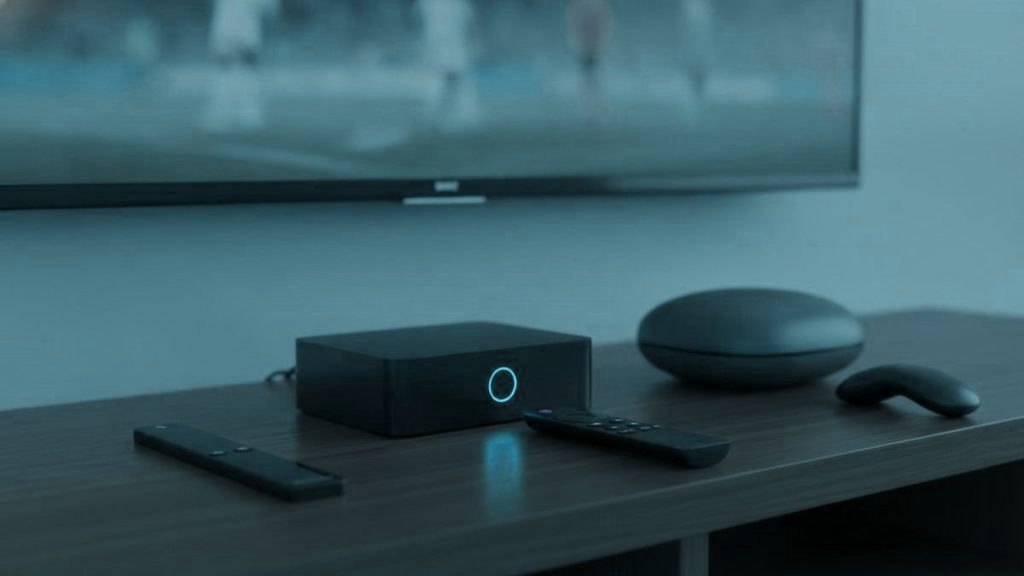
A streaming box does three things to a live channel: it pulls the data, it decodes it, and it hands a finished picture to the panel. Everything else on a spec sheet is packaging. Decide what you need by asking which chip decodes which codec, at what resolution and frame rate, and whether the thing has a socket for a cable. Brand loyalty answers none of those questions.
Read the chain before you read the price
Hardware is link four. If your complaint is stalling rather than a black screen, the fault is almost certainly at link two or three and a faster box will meet the same wall. Spend $12 on a cable before you spend $180 on silicon.
What a live feed is actually encoded in
Retransmitted television is overwhelmingly H.264, the codec that has been in every decoder chip since roughly 2010. The 4K tier is usually H.265, also called HEVC, generally at 10-bit colour depth. A small number of feeds are 1080i rather than progressive, which means the device has to deinterlace them before they can be shown on a flat panel.
That is the whole codec problem. AV1, the codec that dominates hardware marketing at the moment, is used by YouTube and some streaming platforms and is almost absent from live IPTV. A device that lacks AV1 decoding is not disadvantaged here, and paying extra for it on the assumption that it future-proofs your channels is buying a solution to a problem this market does not have.
What you do need, without exception: 4K-capable HEVC Main 10 decoding at 50 and 60 frames per second, and enough headroom to deinterlace a 1080i feed without dropping frames. Anything sold as a 4K streaming device since about 2016 clears the first. The second is where cheap unbranded hardware quietly fails.
The devices, by what is inside them
| Device | Chip and memory | Wired port | Typical price |
|---|---|---|---|
| Fire TV Stick 4K (2023) | MediaTek MT8696, 2 GB RAM | No, adapter only | $30 to $50 |
| Fire TV Stick 4K Max (2023) | MediaTek MT8696, 2 GB RAM, Wi-Fi 6E | No, adapter only | $45 to $60 |
| Fire TV Cube (3rd gen) | Octa-core, 2 GB RAM | Yes, built in | $110 to $140 |
| Google TV Streamer 4K | MediaTek, 4 GB RAM, 32 GB storage | Yes, built in | About $100 |
| onn. 4K Pro | Google TV, quad-core | Yes, built in | About $50 |
| Nvidia Shield TV / Pro | Tegra X1+, 2 GB / 3 GB RAM | Yes, gigabit | $150 to $200 |
| Formuler Z11 Pro Max | Amlogic S905X4 class, 4 GB RAM | Yes, gigabit | $170 to $200 |
| MAG 5xx series | Infomir Linux firmware, portal-based | Yes | $120 to $160 |
| Apple TV 4K (2022) | A15 Bionic | Only on the larger model | $129 to $149 |
| Roku 4K models | Varies | Ultra only | $30 to $100 |
Prices move constantly and the sticks in particular are discounted several times a year, so treat the right-hand column as a band rather than a quote.
Fire TV sticks: the default, with one missing socket
The 2023 Fire TV Stick 4K and 4K Max both run a MediaTek MT8696 with 2 GB of memory, decode H.264 and HEVC at 4K, and carry HDR10, HDR10+, Dolby Vision and HLG. For live television the two are close enough that the deciding factor is usually the sale price. The Max adds Wi-Fi 6E and double the storage, which matters if you install many apps and not much otherwise.
Two practical notes. There is no Ethernet socket, so a wired connection means Amazon’s own adapter, which replaces the power supply and adds a network port for about $15. And the stick should be run from its supplied power adapter rather than a USB socket on the television, because an underfed stick reboots in the middle of live sport and looks exactly like a provider fault.
Skip the HD and Lite models. They cap at 1080p, which makes the 4K tier of any line pointless.
Google TV: the cheapest route to a wired port
The Google TV Streamer replaced the Chromecast with Google TV in 2024. It brings 4 GB of memory, 32 GB of storage and, importantly for this purpose, a built-in Ethernet port, at around $100. Walmart’s onn. 4K Pro does the same job with a wired port for roughly half that, which makes it the value pick of the entire list if you want a cable and Google TV.
The older Chromecast with Google TV is still in a lot of houses. It works, it handles HEVC at 4K, and it needs a USB-C hub if you want to wire it. It does not decode AV1, which, as above, does not matter here.
Nvidia Shield: fast, wired, and old on paper
The Shield runs Tegra X1+ silicon that predates AV1 entirely. On a codec checklist it looks dated. In a living room it remains one of the smoothest devices in this category, because it has gigabit Ethernet, enough memory to hold a 25,000-channel list without stuttering, and processing headroom for deinterlacing and upscaling that a $40 stick does not have. The tube is around $150, the Pro around $200 with more memory and storage.
It is a reasonable purchase if you watch daily on a main television and want one device that will not be the bottleneck. It is a poor purchase for a bedroom.
Formuler and MAG: built for this one job
Formuler’s Z11 range is Android hardware with Amlogic silicon, 4 GB of memory, a gigabit port and Formuler’s own MYTVOnline player preinstalled. MAG boxes from Infomir are a different idea again: they run Infomir’s own Linux firmware and connect to a portal rather than installing apps, so there is nothing to sideload and nothing to update by hand.
What the money buys is not picture quality. It is a remote with real buttons for the guide, the channel list and favourites, a channel list that redraws instantly, and a device that does one job. On a television used every evening that is worth something. On a television used twice a week it is not. Setup for both is in our MAG and Formuler guide.
Apple TV 4K: excellent, with a socket caveat
The 2022 Apple TV 4K decodes H.264 and HEVC comfortably on its A15 chip and has the best-behaved video output on this list, including proper frame-rate and dynamic-range matching. The caveat is a buying one: only the larger-storage model has an Ethernet port. The cheaper model is wireless only, which puts it straight back onto link three. If you are buying an Apple TV specifically for live television, buy the one with the socket.
The other limitation is the App Store. TiViMate does not exist on tvOS in any form, so your player choices are narrower than on Android.
Samsung and LG sets: already capable, sometimes slow
Any Samsung or LG smart television from 2016 onwards runs players from its own store, which means no extra hardware at all. The limitation is not codec support, which is usually fine, but processing: television application platforms are given modest resources, and a channel list of tens of thousands of entries can take several seconds to draw on a 2017 set. If the picture is good and only the menus are slow, that is what is happening, and a $40 stick fixes it.
Roku: fine hardware, wrong shop
This is not a chip problem. Roku devices decode 4K HEVC perfectly well and the Ultra has an Ethernet port. The issue is that Roku does not permit sideloading and its channel store carries almost none of the established players, TiViMate included. You are left with a thin selection and screen mirroring. If you already own one, the Roku guide covers the two methods that work. If you are choosing today, choose anything else on this list.
Memory decides the channel list, not the picture
Once a chip can decode a stream, it decodes it correctly. There is no partial credit and no gradual softening; a decoder either handles the format or it does not. So memory and processor speed do not improve the picture at all.
What they do improve is everything around it: how fast the guide draws, how long a 25,000-channel list takes to scroll, how quickly a channel change resolves, whether the app survives being left running for six hours. Two gigabytes is workable. Four is comfortable. Below two, a large list crawls and people conclude the service is slow when the device is.
Core counts on cheap listings are close to meaningless. Four fast cores beat eight slow ones, and unbranded boxes routinely advertise numbers that the silicon inside does not support.
The settings that cause judder, and nobody looks at
Most channels from Europe and much of the rest of the world run at 50 Hz. Most streaming devices output 60 Hz by default. Displaying 50 Hz material on a 60 Hz output means frames get repeated unevenly, and the result is a small, persistent stutter on panning shots that no amount of bandwidth will fix.
Every capable device has a fix. On Fire TV it is under display settings as the option to match the original frame rate. On Apple TV it is the content matching pair for frame rate and dynamic range. On Google TV it appears in the display settings as a similar toggle. Turning it on lets the device switch output to match the feed, and on international channels the improvement is immediate and obvious.
The related setting is dynamic range. Leaving a device permanently in HDR mode makes standard-dynamic-range channels, which is most of them, look washed out and grey. Matching, rather than forcing, is almost always the right answer.
The last three metres, and the power supply
Two cheap items outrank every box on this page for problems solved per dollar. The first is an Ethernet adapter, around $12 to $15, which removes Wi-Fi from the chain entirely. The second is using the power supply that came in the box rather than a television USB port, which keeps the device from browning out under load.
If a wire genuinely cannot reach, move the device to the 5 GHz band and put it within sight of the router. A stick on 2.4 GHz two rooms away at nine in the evening is sharing air with the whole street, and no processor fixes that.
What the panel does after the box
The last link is the television itself, and it is not passive. Motion interpolation, dynamic contrast and noise reduction are on by default in most showroom picture modes, and on live sport they produce artefacts that look like streaming faults. Turn motion smoothing off and put the input in the low-latency or game picture mode before you judge any service. If the picture changes, the box was never the problem.
Three purchases, in the order that fixes most
- Nothing, first. Test on the television, phone or laptop you already own. Decide whether the line is worth keeping before deciding what to run it on.
- An Ethernet adapter, about $12. The highest-yield purchase in live streaming, and it is not close.
- A 4K stick or a wired Google TV device, $40 to $100. Enough for nearly every room in nearly every house.
- A Shield, Formuler or MAG, $150 to $200. Only for a main television watched daily, and only for the remote, the list speed and the wired port.
Boxes sold with channels already on them
A device advertised as fully loaded, or bundled with lifetime access, is worth avoiding for reasons that have nothing to do with taste. The firmware is modified and its origin is unknown. The apps are often repackaged versions of legitimate players. The access stops when whoever sold it stops paying upstream, which is usually soon, and there is nobody to ask. Buy a clean device from a normal retailer, install a player yourself and keep the subscription separate from the hardware, so that a failure in one does not take the other with it.
What we would buy
For most rooms: a Fire TV Stick 4K with the Ethernet adapter, about $50 together. For a household that wants a wired port without an adapter: the onn. 4K Pro at around $50, or the Google TV Streamer at around $100. For a main television used every evening: a Shield, a Formuler Z11 Pro Max or a MAG, chosen on which remote you prefer rather than which chip is newer, because at that price all three decode everything a line will send them.
Whatever you run, a Smart4K line is issued as a standard Xtream Codes login, so it configures on all of them without anything proprietary. The setup hub has a walkthrough per device, activation takes under 15 minutes, and the 24-hour trial needs no card, so you can find out how your existing hardware copes before buying any of this. Prices for the line itself are on the pricing page, from $15 a month to $69 for a year on one connection.
Questions this raises
What is the best IPTV box in 2026?
For most rooms, a 2023 Fire TV Stick 4K with an Ethernet adapter, about $50 for the pair. It decodes H.264 and HEVC at 4K, which covers essentially every live feed, and the adapter removes Wi-Fi from the chain. For a main television watched every evening, an Nvidia Shield, a Formuler Z11 Pro Max or a MAG box buys a better remote and a faster channel list rather than a better picture.
What is the best IPTV box on a budget?
Walmart's onn. 4K Pro at around $50 is the value pick because it runs Google TV and has an Ethernet port built in, so there is no adapter to buy and no sideloading needed for TiViMate. A discounted Fire TV Stick 4K is the alternative if you prefer Fire OS. Avoid the HD and Lite sticks, which cap at 1080p and make the 4K tier of any line pointless.
How much does an IPTV box cost?
Roughly $30 to $60 for a 4K stick, about $50 for an onn. 4K Pro or $100 for a Google TV Streamer with a wired port, and $150 to $200 for an Nvidia Shield, Formuler Z11 Pro Max or MAG. Add $12 to $15 for an Ethernet adapter where the device has no socket. The line that supplies the channels is separate, at $15 a month or $69 for a year on one connection.
Is a Formuler or MAG box worth the extra money?
If you watch every evening on one main television, it is defensible. What the money buys is a remote with real buttons for the guide and favourites, a gigabit socket, enough memory to redraw a 25,000-channel list instantly, and a device doing one job. What it does not buy is a better picture: once a chip decodes a stream correctly there is no partial credit, and a $40 stick decodes the same feed identically.
Do I need a box at all for IPTV?
No. A Samsung or LG smart television from 2016 onwards, an Android TV set, an Apple TV, a phone or a laptop all run players directly. A box is worth adding when the television's own app platform is slow with large channel lists, when you want TiViMate on a non-Android set, or when you want a wired network port and a proper remote.
Should I buy a box with channels already loaded?
No. Devices advertised as fully loaded or bundled with lifetime access run modified firmware of unknown origin, often carry repackaged versions of legitimate players, and stop working when whoever sold them stops paying upstream. Buy a clean device from a normal retailer, install a player yourself, and keep the subscription separate from the hardware so a failure in one does not take the other with it.
Want to see how it holds up on your own screen?
Message us and the line is open in under 15 minutes. You have 7 days to decide it earned its place.
Read next
Why Your 4K IPTV Looks Blurry, and the Seven Places to Check
A soft 4K picture is rarely one fault. Work down the chain: is the source really 4K, which entry did the player…
September 19, 2026HDR on IPTV: HDR10, HLG, Dolby Vision and the Grey-Picture Problem
HDR on IPTV only works when the channel, the player, the device, the HDMI port and the TV all agree. Here is…
September 19, 2026Internet Speed for 4K IPTV: What the TV Actually Receives
One 4K stream in HEVC wants about 25 Mbps that actually reaches the television, at the hour you watch. Here is the…